About the App
Storeflow is a Next.js e-store that is easily editable and can be used for different types of stores. It has a beautiful and simple interface, a good search, a filter, a sort menu, and an easy admin panel for managing everything in the store, like products, categories, sales, promoted products, and more.
I implemented a feature-rich admin panel where most things in the store are adjustable (e.g., categories, products, theme colors, etc.).
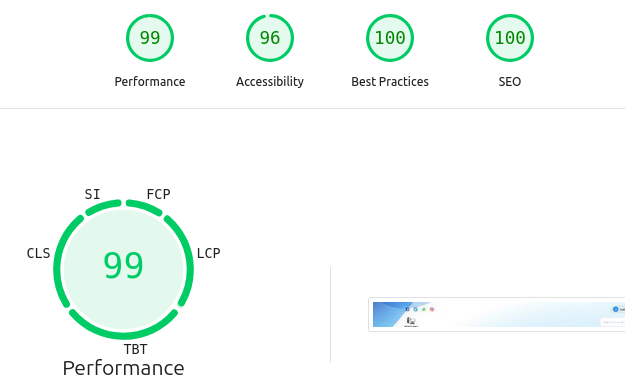
Performance test results for the homepage (by Google's Lighthouse)
Storeflow E-commerce Platform: Core Features
Storeflow is a comprehensive e-commerce platform designed with a powerful admin dashboard for store management and a user-friendly storefront for an excellent customer experience.
1. Admin Dashboard (Store Management)
Admins have variant permissions control over the store's products, sales, orders, and appearance (check the Admin Panel Section for details).
Product & Inventory
- Product Management: Easily create, edit, and delete products, categories, brands, and product bundles (sets).
- Product Variants: For minor differences between the same products (e.g., color, size, etc.), you can add "variants" for any product.
- Inventory Control: Set stock levels, including "out-of-stock" and "unlimited" options. Stock is automatically updated when sets are sold, and any private information about any product, such as its location in the store, is written.
- Rich Content: Use a simple HTML editor (CKEditor5) for detailed descriptions and upload both images and videos for products.
- Export data as Excel: Staff can export tables in the Admin panel to Excel for easy data analysis and can choose which columns to export.
- Import Excel data: Staff can toggle the IMPORT MODE before exporting tables to make the file show raw data for easier editing, and then they can reimport the file after editing into the database.
- Active Users Counter: A simple counter for the number of current active users on the website.
Sales & Orders
- Financial Dashboard: Track sales, profits, and key financial metrics.
- Order Management: View, approve, or reject incoming orders. Admins can add a note explaining a rejection, and the Orders table is live-updated on the screen.
- Manual Order Entry: Log offline purchases, which automatically updates inventory and sales data, and you can search and pick the customer's email to connect the purchase with his account (if he has an account on the website), allowing him to review the products or see the purchase details from his account.
- Custom Transactions: Make manual adjustments to revenue, such as for special circumstances, like a price reduction or a tip.
- Staff Order Editing: Staff can manually edit incoming orders for the customer if needed (e.g., replacing RAM sticks with one that fits with an ordered motherboard) after contacting the customer. Additionally, there is an option to email the customer automatically regarding the edit.
Marketing & Promotions
- Sales: Set up discounts on products and sets with a simple discount calculator.
- Discount Codes: Create and manage custom discount codes for customers.
- Promotions: Run sitewide sales, custom advertisements, and featured promotional and new items on the storefront.
Store Customization
- Homepage Content: Control featured categories, the main banner, an interactive map on the website, and a gallery for store photos.
- Shipping Rules: Set custom shipping fees based on customer regions.
- Site Information: Easily update general content like team members and partners.
- Site theme: The admin can set the primary, secondary, and header banner from the Themes panel.
- Progressive Web App (PWA): Users can install the website like a mobile app for a better experience (more details).
Security Management
- Export/Import database backup folder: A function for backing up or restoring the entire site database (multiple backups at a time are available).
- Timeout IPs: A dashboard to manage timed-out IP addresses to block spammers.
- User Management: A dashboard to view/delete accounts created on the website and the ability to delete old unverified accounts.
- Feedback Management: A central dashboard to view and manage all customer feedback submitted through the storefront.
- Block account verification: The admins can toggle if verification codes can be sent to allow anyone to do transactions; otherwise, the admins will have to verify the emails themselves from the dashboard if they only sell to specific customers; non-verified accounts will be deleted after 1 week of creation.
- Orders Push Notifications: Admins receive push notifications for new orders and cancellations (optional).
- System Storage Panel: A simple panel to monitor the space left on the VPS/server.
2. Customer Storefront (Shopping Experience)
A clean and intuitive interface for customers to browse and purchase.
Browsing & Discovery
- Powerful Built-in Search: A prominent search bar helps customers quickly find any product or set.
- Advanced Filtering: Sort and filter products by category, price, brand, discount, and other criteria.
- Search Engines Compatibility: Offers search engines (e.g., Google) a dynamic sitemap generator that caches all the products and updates them weekly.
- Skeleton Loading: A nice skeleton that appears before items with little animation.
Shopping & Checkout
- Dynamic Shopping Cart: A sidebar cart lets users easily view and manage their selected items.
- Simple Checkout: A streamlined, multi-step process for placing orders.
- Payment Options: Cash on delivery and direct bank transfers are currently the only options.
- Automated Email Notifications: Customers automatically receive emails for important order updates (e.g., confirmation, rejection, admin's notes).
- Reviews: Customers will be able to leave reviews (star ratings and comments) on products and sets that have been delivered, and other buyers can reply to comments.
- Feedback System: A simple form allows customers to leave general feedback about their shopping experience, helping the store to improve.
3. User Accounts
A dedicated area for registered customers to manage their activity.
- Secure Authentication: Standard email/password login, with a reset password form, and support for Google OAuth login.
- Personal Dashboard: A central "My Account" page to manage personal info, wishlists, and orders.
- Order History & Control: View all past orders and their current status (e.g., pending, approved). Customers can also cancel a recently placed order.
- Wishlist: Save favorite products for later purchase.
- Email Confirmation: The customer receives a confirmation code in his email.
- Wishlist Push Notifications: The customer receives push notifications for his wishlist (optional).
And there's more!
Last updated on February 16, 2026, by Ayman.